

First Program
Your first program makes the LED on the Mainboard blink. Try it here in the simulation:
Uploading to the Mainboard
- Open Eduingo AI Lab and choose the example Blinking the LED on the Mainboard.
- Connect the Eduingo Mainboard to your computer with USB-C.
- Click Upload in the top right corner and pick the board's port in the browser window.
- If everything went well, the program is uploaded to the Mainboard and the LED starts blinking.
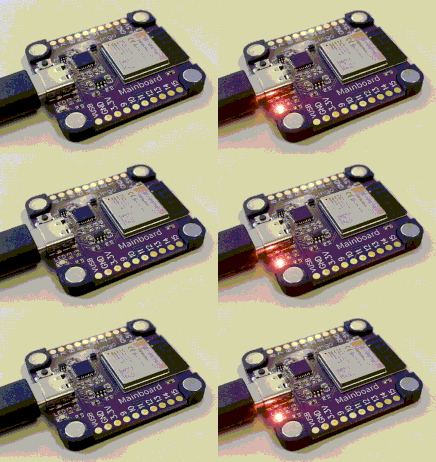
Try changing the colour or the waiting time and upload the program again.
Common problems
- The computer doesn't see the board: install the driver for the CP210x USB-UART bridge.
- The Upload button doesn't work: uploading only works in Chrome or Edge on a computer.
- More tips are in Troubleshooting & FAQ.