

Specifications
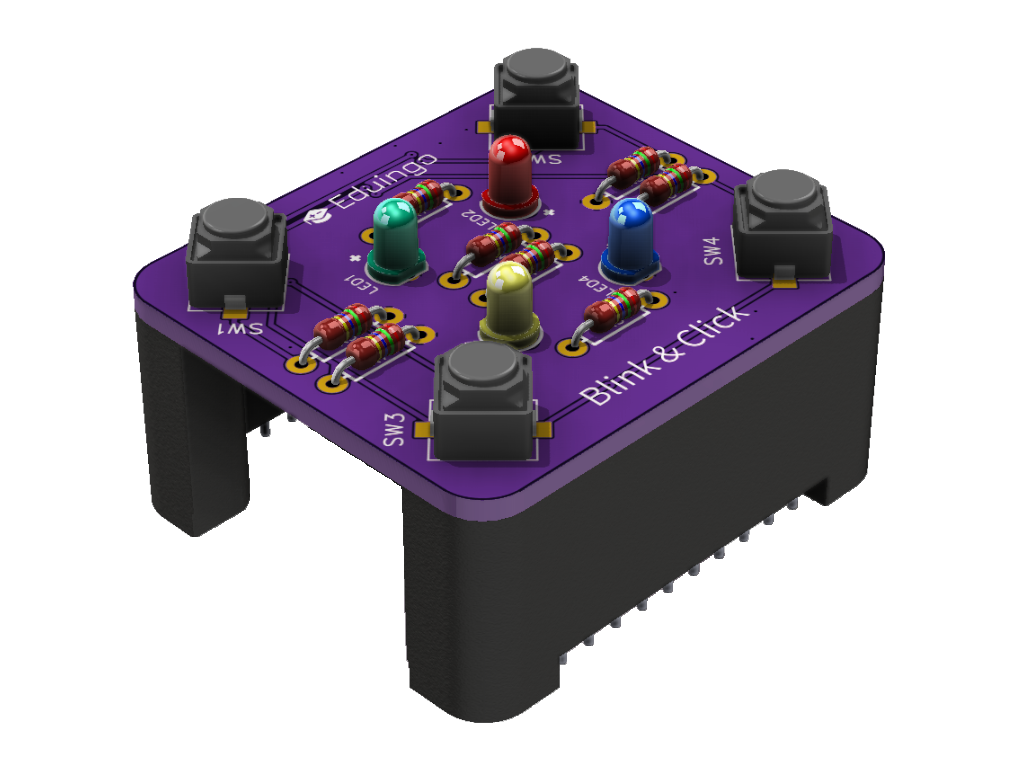
- 4 LEDs: green, red, yellow, blue
- 4 buttons SW1–SW4, pressed = HIGH (pull-down on the board)
- LEDs light up on HIGH
- The module goes on top of the tower (nothing can be stacked on it)
- Power 3.3 V, the LEDs are driven straight from the pins
- Current ≈ 5 mA per lit LED, all four ≈ 20 mA (estimate)
- Does not use the I2C bus
- Uses: Simon Says game, indicator lights, game controllers
Pins
| Pin | Function |
|---|---|
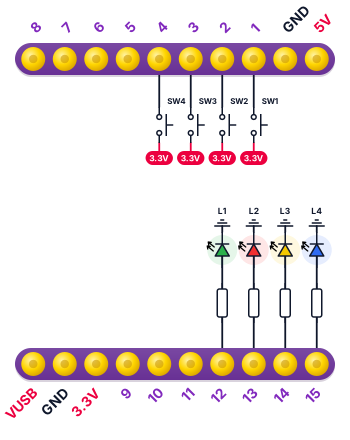
| IO1 | Button SW1 |
| IO2 | Button SW2 |
| IO3 | Button SW3 |
| IO4 | Button SW4 |
| IO12 | LED1 |
| IO13 | LED2 |
| IO14 | LED3 |
| IO15 | LED4 |
Wiring diagram
Example code
Try the example Traffic light with a pedestrian button right in your browser in Eduingo AI Lab. Cars have green until a pedestrian presses the button. Then the light changes through yellow to red and the blue LED shows that the pedestrian may cross. Finally it goes back to green through red and yellow. The LEDs are green (1), red (2), yellow (3) and blue (4). Try giving the pedestrian more time.