

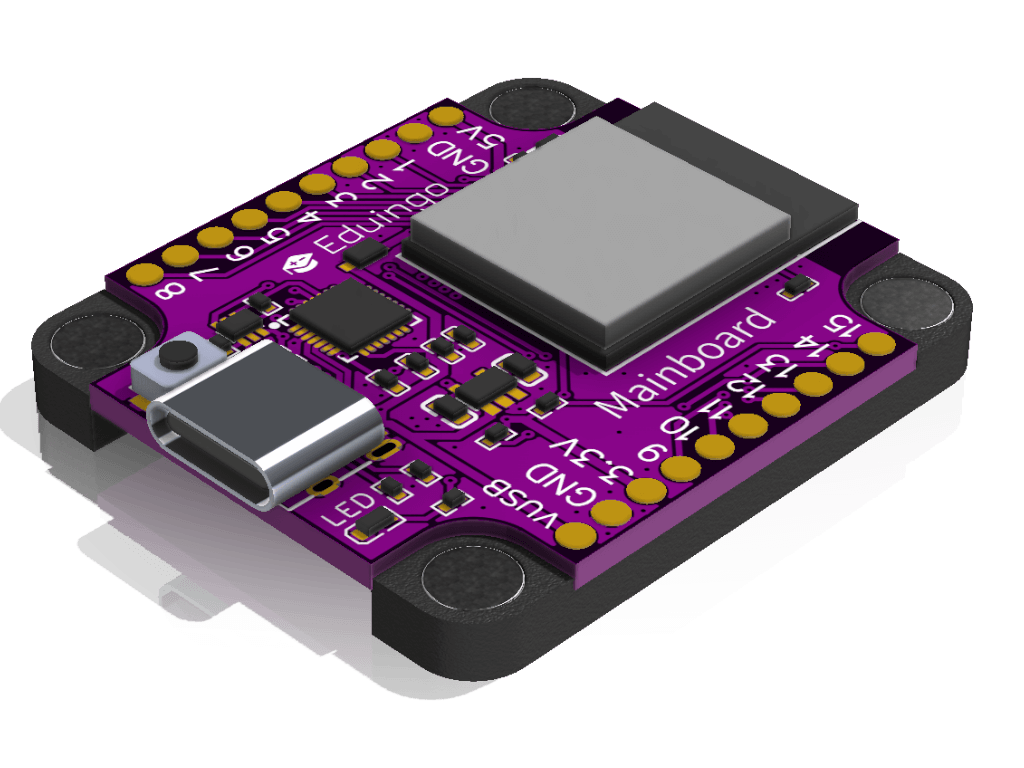
Specifications
- USB-C connection (CP2102 bridge)
- WiFi & Bluetooth
- Supports Arduino IDE, PlatformIO and MicroPython
- Powered from USB-C 5 V, the HT7833 regulator makes 3.3 V from it (500 mA max)
- Current ≈ 40–100 mA, WiFi peaks up to ≈ 350 mA (ESP32-S3 figure)
- Size 35 mm × 45 mm
- ESP32-S3-mini processor, 4 MB flash, 2 MB PSRAM
- Built-in addressable RGB LED (WS2812 type) on pin IO33
- RESET button
Pins
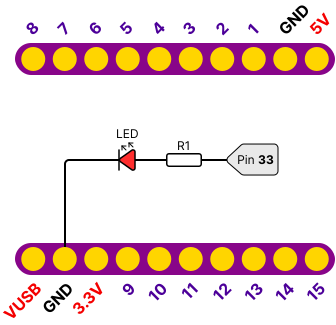
The Mainboard has two connectors with ten pins each. Modules stack on it into a tower and all of them share the same 15 signals, so two modules must not use the same pin. The exception is the I2C bus, where you can connect several modules at once. The layout is shown in the diagram below. Which modules can be combined is on the Stacking modules page.
| Pin | Function |
|---|---|
| 5V | 5 V power |
| GND | Ground |
| IO1 – IO8 | General-purpose pins (top connector) |
| VUSB | Voltage from USB-C |
| 3.3V | 3.3 V power |
| IO9 – IO15 | General-purpose pins (bottom connector) |
| IO14, IO15 | I2C bus (SDA, SCL), shared by all I2C modules, 10 kΩ pull-up resistors are on the Mainboard itself |
| IO33 | Built-in addressable RGB LED (DI data input), powered from 5 V |
Power and combining modules
All modules in the tower draw current from the same Mainboard, so their currents add up. From a computer USB port, count on 500 mA at 5 V. Modules on 3.3 V also share the HT7833 regulator (500 mA) with the ESP32-S3 chip, which takes up to ≈ 350 mA in WiFi peaks, leaving ≈ 150 mA for them. Values marked ≈ are estimates from the chip datasheets and have not been measured on real boards yet.
| Module | Power | Current (estimate) | I2C address |
|---|---|---|---|
| EDU01 Mainboard | USB-C 5 V, 3.3 V from it | ≈ 40–350 mA | drives the bus |
| EDU02 Blink & Click | 3.3 V | ≈ 20 mA | – |
| EDU03 RGB LED | 3.3 V | ≈ 25 mA | – |
| EDU04 7-Segment | 5 V | ≈ 10–50 mA | – |
| EDU05 Multisensor | 3.3 V | ≈ 5–50 mA | depends on the sensor on the connector |
| EDU06 Rotary Encoder | 3.3 V | below 1 mA | – |
| EDU07 Sliders | 3.3 V | ≈ 1 mA | – |
| EDU08 LED Matrix | 5 V | ≈ 50 mA to 3.8 A depending on brightness | – |
| EDU09 Relay | 5 V | ≈ 70–90 mA when on | – |
| EDU10 OLED Display | 3.3 V | ≈ 10–30 mA | 0x3C (0x3D with jumper) |
| EDU11 Potentiometer | 3.3 V | below 1 mA | – |
| EDU12 Buttons | – | practically none | – |
| EDU13 Joystick | 3.3 V | ≈ 1 mA | – |
| EDU15 Mosfet | load from its own V+ | ≈ 0.3 mA | – |
| EDU16 Compass | 3.3 V | ≈ 0.1 mA | 0x0D |
| EDU17 SDPlayer | 5 V | ≈ 20–300 mA | – |
| EDU18 Keypad | 3.3 V | ≈ 1 mA | – |
| EDU19 Servos | 3.3 V, servos 5 V | ≈ 10 mA plus 100–250 mA per servo | 0x40 and 0x70 (All Call) |
| EDU92 Wemos Adapter | 3.3 V and 5 V | depends on the shield | depends on the shield |
What to watch out for:
- I2C: Compass (0x0D), OLED Display (0x3C) and Servos (0x40, 0x70) have different addresses, so they can all be in the tower at once. Two OLED displays work if you switch one to 0x3D with the ADDR jumper. Two compasses at once do not work. A sensor on the Multisensor I2C connector must not use an address another module in the tower already uses.
- High current: LED Matrix, Relay, SDPlayer and Servos draw the most. Keep the LED Matrix at low brightness, and when you combine several of these modules or move several servos, power the board from a USB charger that gives more current than a computer port. When the current is not enough, the board restarts or disconnects from the computer.
- Pins: apart from the I2C bus, two modules in the tower must not use the same pin. The Pins table on each module page shows which pins it takes.
Wiring diagram
Example code
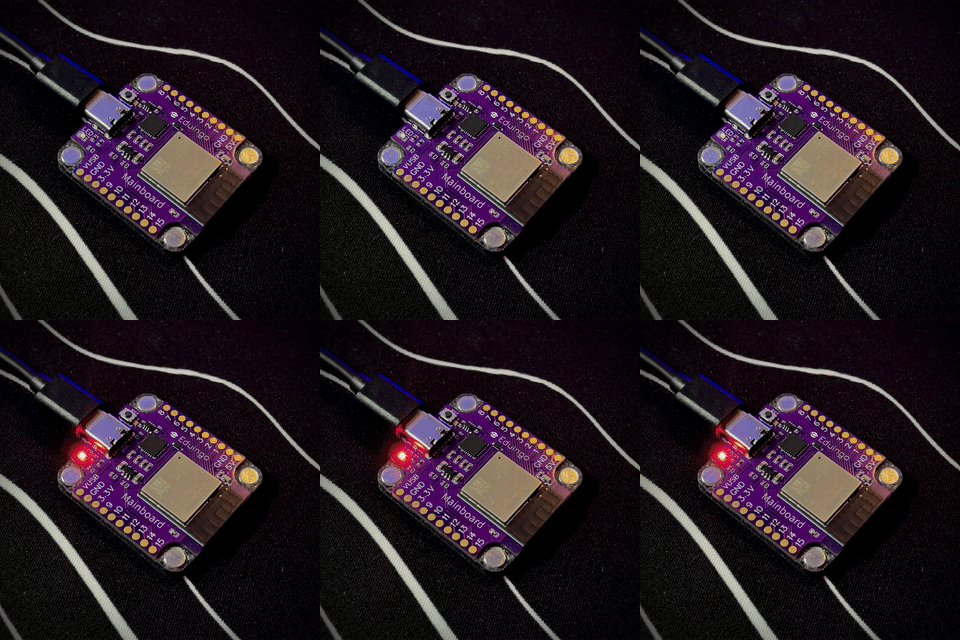
Try the example Blinking the LED on the Mainboard right in your browser in Eduingo AI Lab. The LED on the Mainboard blinks green: half a second on, half a second off, over and over. Try changing the colour or the waiting time and watch how the blinking changes.